-- Read the errorlog with a stored procedure

EXEC xp_ReadErrorLog 0, 1, N'Server is listening on', N'any', NULL, NULL, 'DESC'
GO

Or look in the Configuration Manager

SQL Server Network Configuration/Protocols/IP Addresses/TCP Port
SQL Server – Logins, Users
sp_helpuser

SELECT * FROM sys.database_principals


SELECT loginname FROM syslogins where loginname like '%NAME%'


EXEC sp_helplogins
Oracle – Shrink Tablespace
ALTER TABLESPACE temp SHRINK SPACE KEEP 3G

VIEWS:
v$tempfile
V_$TEMP_SPACE_HEADER
DBA_TEMP_FILES
DBA_TABLESPACE_USAGE_METRICS
Linux – Print a Directory Tree
ls -R | grep ":$" | sed -e 's/:$//' -e 's/[^-][^\/]*\//--/g' -e 's/^/ /' -e 's/-/|/'
Keyboard Shortcut – SSMS – Scroll through Query Editor Window Tabs
ctrl-F6
SCOM Notes
scxadmin commands:

Usage: scxadmin
Generic options (for all commands)
  [-quiet]      Set quiet mode (no output)

        General Options
scxadmin -version

        Service Management
scxadmin {-start|-stop|-restart|-status}  [all|cimom|provider]

        Providers Management
scxadmin -config-list {RunAs}
scxadmin -config-set {RunAs} {CWD=|ChRootPath=|AllowRoot={true|false}}
scxadmin -config-reset {RunAs} [CWD|ChRootPath|AllowRoot]

        Log Configuration Management
scxadmin {-log-list|-log-rotate|-log-reset} [all|cimom|provider]
scxadmin -log-set [all|cimom|provider] {verbose|intermediate|errors}
scxadmin -log-set provider {{FILE:|STDOUT}:={SUPPRESS|ERROR|WARNING|INFO|TRACE|HYSTERICAL}}
scxadmin {-log-reset|-log-remove} provider [{FILE:|STDOUT}]
Oracle Inventory
Display Oracle Inventory Location
Linux: see file /etc/oraInst.loc
Determine which databases have FILESTREAM configured in a SQL Server instance
exec sp_msforeachdb
‘use [?];
select [DBName]=”?”, ds.* from sys.data_spaces ds where type=”FD”’
Richard’s Page
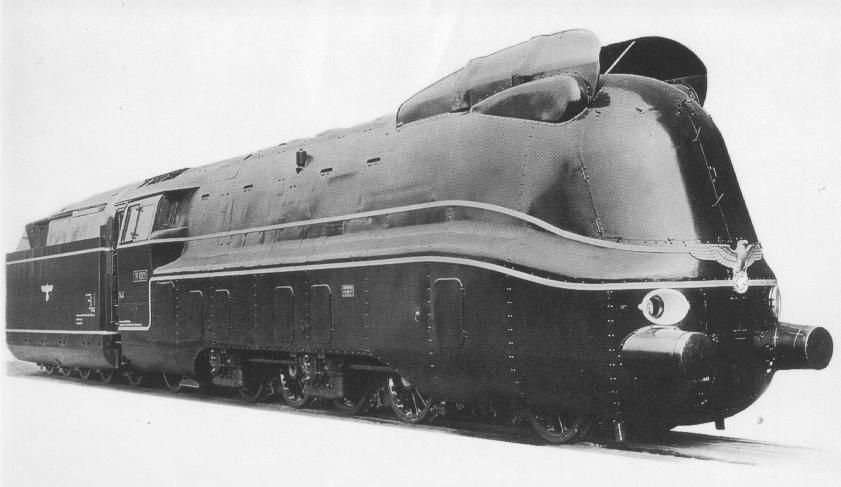
Trains
hdasah
fd
gffghh
Powershell – Concatenate files
Example: To concatenate all .txt files in directory C:\temp and store result in outfile.txt
$ToNatural = { [regex]::Replace($_, '\d+', { $args[0].Value.PadLeft(20) }) }

if (Test-Path "C:\temp\outfile.txt") {
    Remove-Item "C:\temp\outfile.txt"
}

Get-ChildItem "C:\temp" -Filter *.txt|sort-object $ToNatural | `
Foreach-Object{
  Write-Host $_
  #Get-Content $_ >> C:\temp\outfile.txt
}